
Reelbook

Reola

MacPurity

Duck Launcher

ProductRail
One dashboard for every product you ship.
Not a SaaS you rent — a codebase you run. Install on-prem, operate every product from one sidebar, and improve dashboards with Cursor in minutes.
The problem
Shipping more than one product means living in a dozen tabs.
Each new product multiplies the same ops surface. Founders end up with bookmark folders, half-remembered credentials, and no single place that answers: is this product healthy, shipping, and paid for?
 Stripe
 App Store Connect
 Play Console
 Cloudflare
 Vercel
 GitHub
 Postgres
 Relaybase
 Analytics
The deeper problem: SaaS ops tools are fixed.
When a panel is wrong, missing, or almost-right, you file a feature request and wait — or you duct-tape another spreadsheet. Improvement is hard because you do not own the product.
Multi-product builders need a control room that lives in a repo— on-prem by default, grown with folders and YAML, and changeable in minutes — not another locked SaaS to configure from scratch.
Products
Every product on one rail
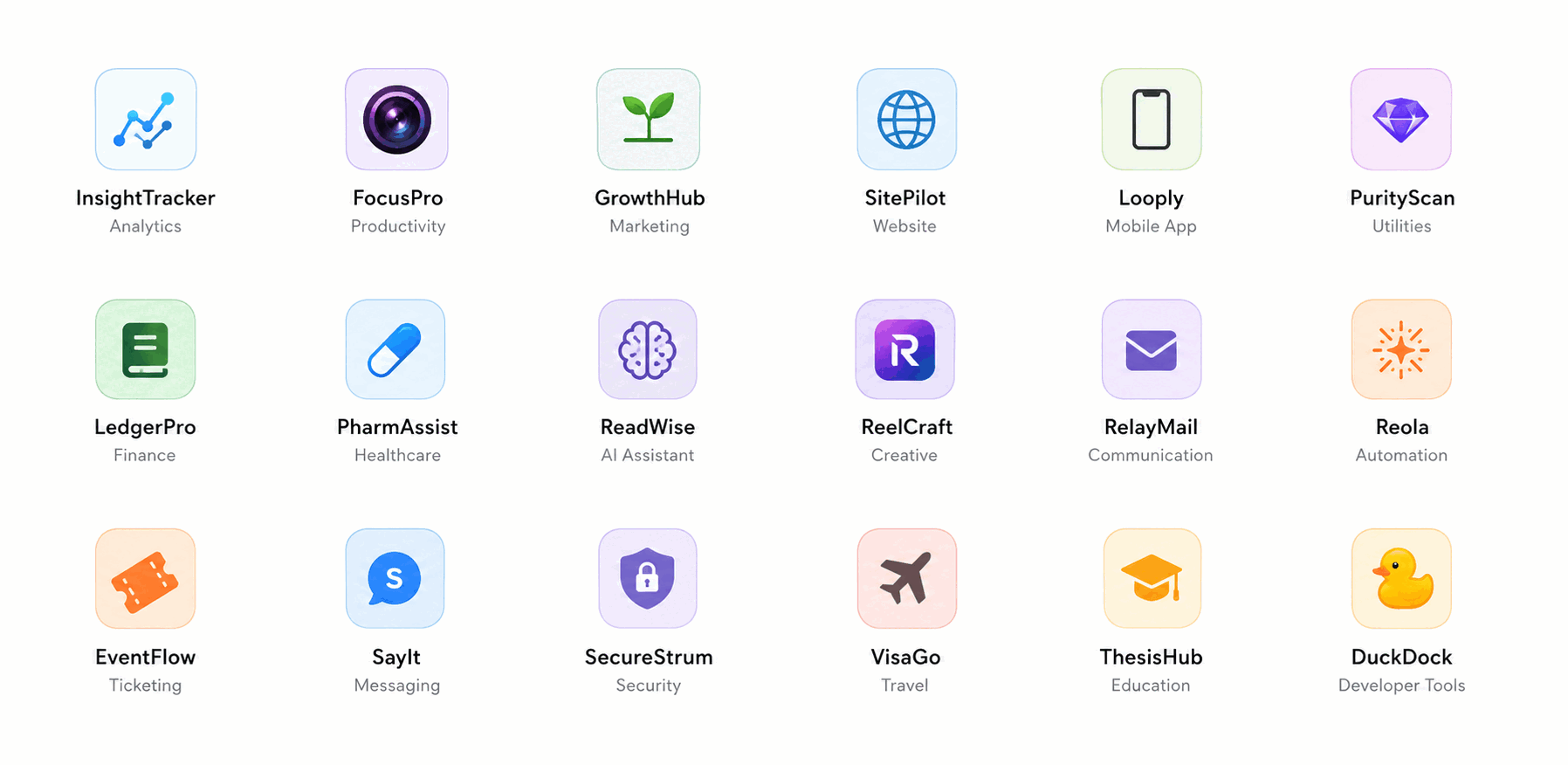
Mac apps, iOS apps, Chrome extensions, and web products — each folder becomes a sidebar entry with its own panels. You own the rail; grow it as your portfolio grows.
Setup wizard
From empty folder to live ops in one guided flow
Product, dashboards, Git, deploy, domain, email, CMS — the wizard walks the same path every time so each new product lands on the rail with panels already wired.
- 01Product· Describe, generate, and logo
- 02Dashboards· Link product panels
- 03Git· GitHub repository
- 04Deploy· Hosting platform
- 05Domain· Custom hostname
- 06Email· Transactional email
Dashboard diversity
Link a dashboard — or copy the code and make it yours
Reusable packages for Cloudflare, Relaybase, GitHub, App Store Connect, and more. Attach by config, or copy a dashboard into your tree and reshape it. Credentials stay in env via credential_ref.
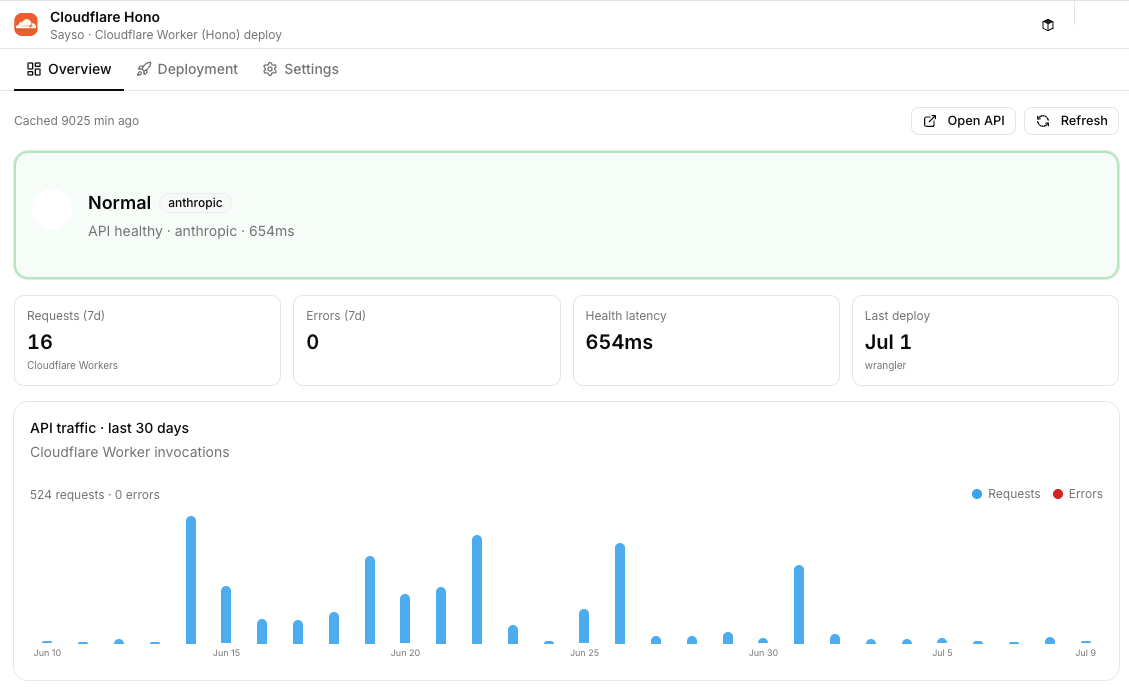
Cloudflare Worker
CloudflareHealth, latency, and API traffic for Hono workers — deploy status without leaving the product sidebar.
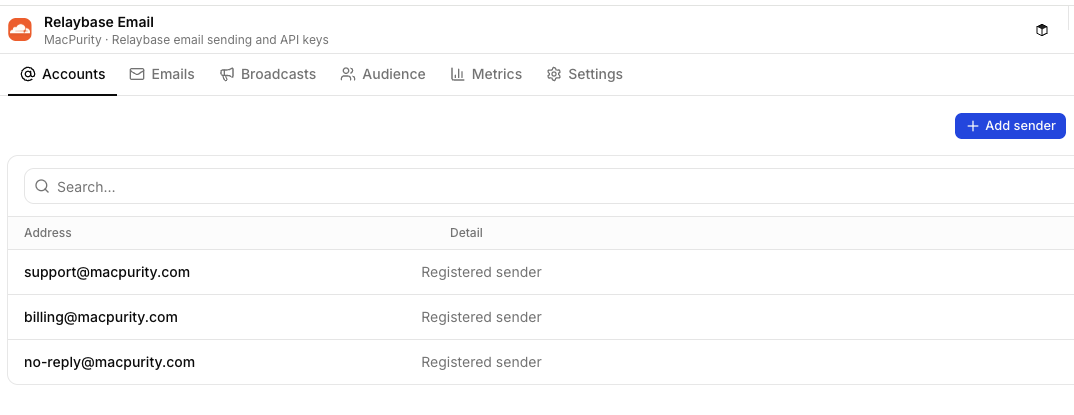
Relaybase Email
RelaybaseSender accounts, inbox, and broadcasts per product — same email UI, many brands.
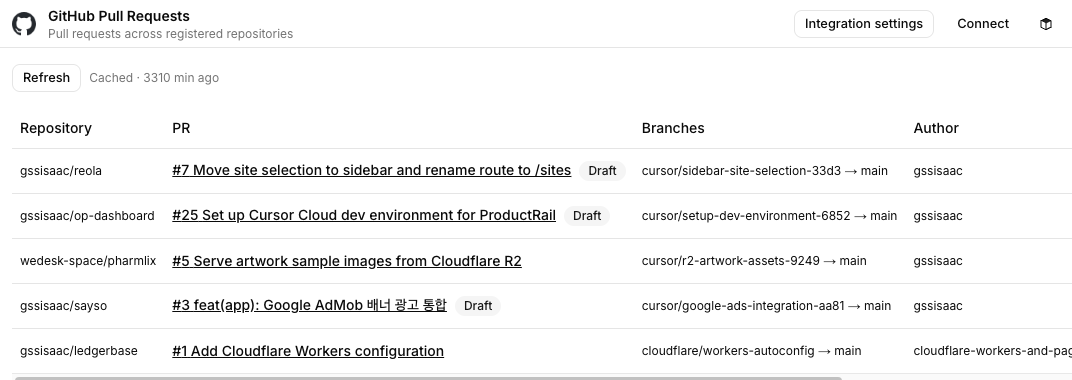
GitHub Pull Requests
GitHubOpen PRs across registered repos — draft badges, branches, and authors in one table.
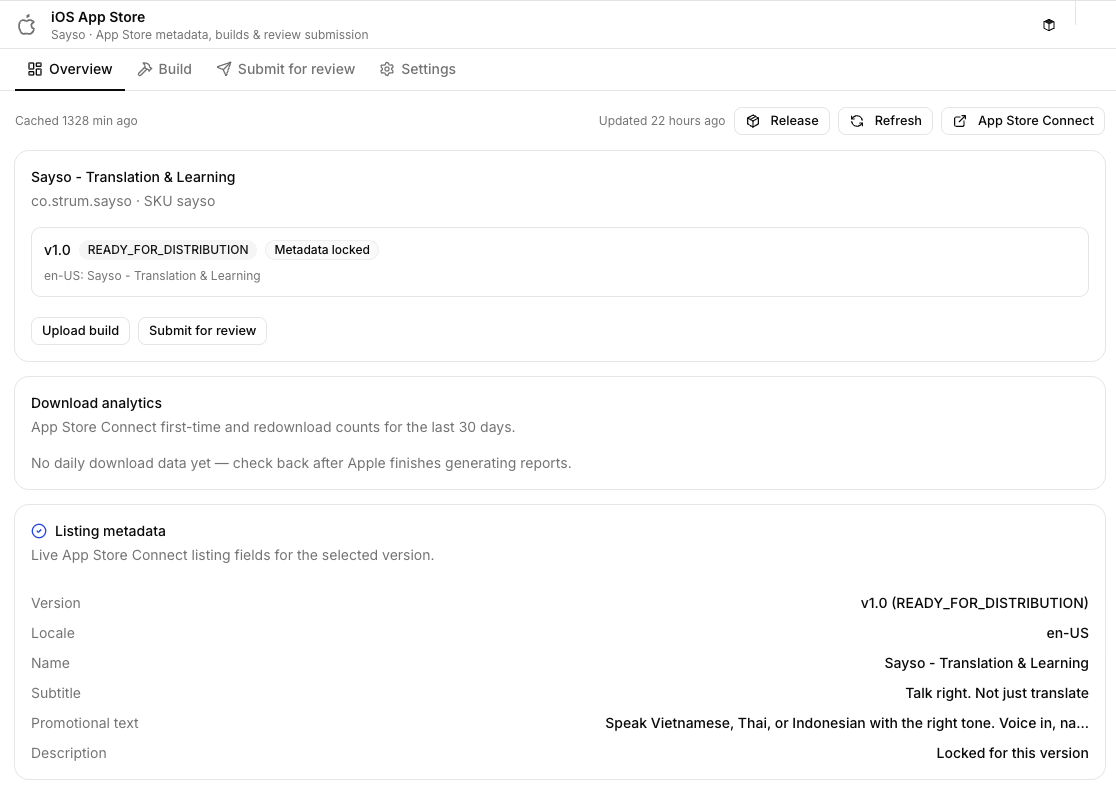
iOS App Store
App Store ConnectMetadata, builds, and review status for App Store apps — release without tab-hopping.
How it works
Install it. Operate it. Improve it.
ProductRail is the ops shell you own — not a hosted SaaS. Each product still ships from its own repo; this is the control plane you run and evolve with Cursor or Claude Code.
 01
01Install locally
Clone the repo and run it on your machine or team server. On-prem is the default — you own the service, not a rented admin.
 02
02Add a product
Drop a folder + manifest.yaml — or run the setup wizard. The loader discovers it; sidebar and routes update automatically.
 03
03Link or copy dashboards
Attach a shared dashboard by config, or copy the dashboard code and customize it for your workflow. Both paths stay in your tree.
 04
04Operate
Deploy, release, payments, email, customers — from one control room you run yourself.
 05
05Improve with Cursor
Hit a wall? Ask Cursor or Claude Code to change the code. Build and tests run in the background — the updated UI is back in minutes.
Integrations
Connect the stack you already run
Source adapters live in src/lib/sources/. Credentials reference env vars via credential_ref — never stored in manifests.
- Stripe
- GitHub
- Cloudflare
- Vercel
 Railway
- Google Play
- App Store Connect
- PostgreSQL
 Resend
- Relaybase
- Google Analytics
 Cursor
Who it's for
Built for multi-product builders
Solo founders, indie studios, and platform-minded operators who want to own their ops shell — not wait on a vendor roadmap.
Solo founders with a portfolio
Operate FocusLens, MacPurity, Relaybase, and the next idea from one nav tree — and reshape that tree when your workflow changes, without waiting on a SaaS roadmap.
Small multi-product teams
Share one ops surface on a team server for releases, payments, and support email across brands. The codebase is the shared asset; everyone improves the same control room.
Platform / ops builders
Extend ProductRail with new dashboard types and source adapters — then keep iterating with AI agents against the real UI you use daily.

Positioning
Not a SaaS you rent — a codebase you run
On-prem by default. Link a dashboard, or copy the code and make it yours. Improve it with Cursor.
vs. Fixed SaaS ops tools
Change the product itself — copy dashboards, edit code, ship improvements in minutes
vs. Browser tab sprawl
One sidebar across Stripe, stores, Cloudflare, and email
vs. Homegrown admin per product
Shared dashboards, a repeatable manifest pattern, and a repo you keep improving
vs. Heavy enterprise ops suites
Built for solo founders and small teams running on-prem — not platform seat counts
vs. Spreadsheets + bookmarks
Live deploy, release, and payment status — not stale checklists
What ProductRail is not
- Not a simple / hosted multi-tenant SaaS — you install and run the app; on-prem is the default
- Not a fixed product you can only configure — the point is owning the codebase and evolving dashboards
- Not a replacement for product codebases — each product you ship still lives in its own repo
- Not a project manager — the core is shipping and operating software products
- Not a secret store — env vars hold credentials; manifests only reference them
FAQ
Straight answers
- Is ProductRail a SaaS?
- No. It is a codebase you install and run yourself — on-prem by default, on your machine or team server. You own the service and can change it.
- Why not just use another ops SaaS?
- Hosted tools are fixed. When a panel is almost right, you wait on the vendor. ProductRail lives in your repo — link dashboards, copy and customize them, or ask Cursor / Claude Code to change the code and have it reflected in minutes.
- How do I improve a dashboard?
- Use it, then instruct Cursor or Claude Code against this repo. Agents edit code; build and tests run in the background; refresh to see the change. Or copy a dashboard package under src/app/dashboards/ and customize by hand.
- Is ProductRail open source?
- The app and marketing site live in the product-rail repo. Run it yourself; configure integrations with your own keys.
- Do I need Cloudflare or Stripe to use it?
- Only for the panels you enable. A product can start with overview + GitHub and grow into website, release, and payments later.
- Where do secrets live?
- Environment variables and ~/.product-rail/. Manifests never store raw credentials.
- What's the difference between a product and a dashboard?
- A product is something you ship. A dashboard is a reusable ops UI that products attach to panels — by link, or by copying the code and making it yours.